

CSS:placeholder-shown
伪类:placeholder-shown表示任何显示占位符文本的元素<input>。<textarea>
有了这条规则,我们就可以实现这种原本需要借助 JavaScript 才能实现的样式:
<input name="food" placeholder=" " />
<label for="food">Favorite food</label>
const input = document.querySelector('input');

input.addEventListener('focus', () => {
  // Add parent class to move label above input
});

input.addEventListener('blur', () => {
  // Check if input has value
  // Remove parent class to reset label
});
但是,与其增加这些额外的开销,我们不如利用:focusCSS:placeholder-shown规则:
input:focus + label,
input:not(:placeholder-shown) + label {
  top: 14px;
  left: 6px;
  font-size: 12px;
  color: #fff;
}
这里我们检查输入框是否获得焦点,或者是否显示占位符(即是否有文本值)。如果满足任一条件,则将标签浮动到左上角。
比用 JS 事件处理程序简单多了!😉
这里有一个演示该功能的视频:
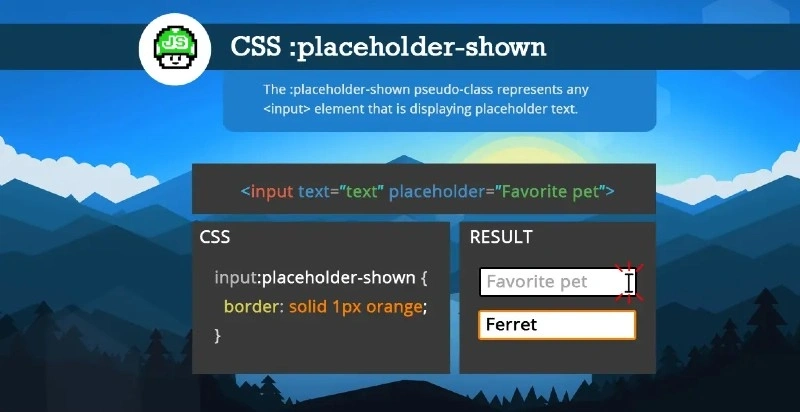
更多#JSBits内容请访问我的博客jsbits-yo.com 。或者在Twitter和TikTok上关注我。
文章来源:https://dev.to/js_bits_bill/css-placeholder-shown-5848